ESP w/o Fuser
Last updated
Instruction to ESP Wallhack without Fuser by using Moonlight
Download & Install on Main PC
Download & Install on Second PC
On Second PC, open Moonlight -> Settings Page:
Set to Borderless Windows Mode
Enable Vertical Sync
Back to Main Page, click the desktop icon in the list.
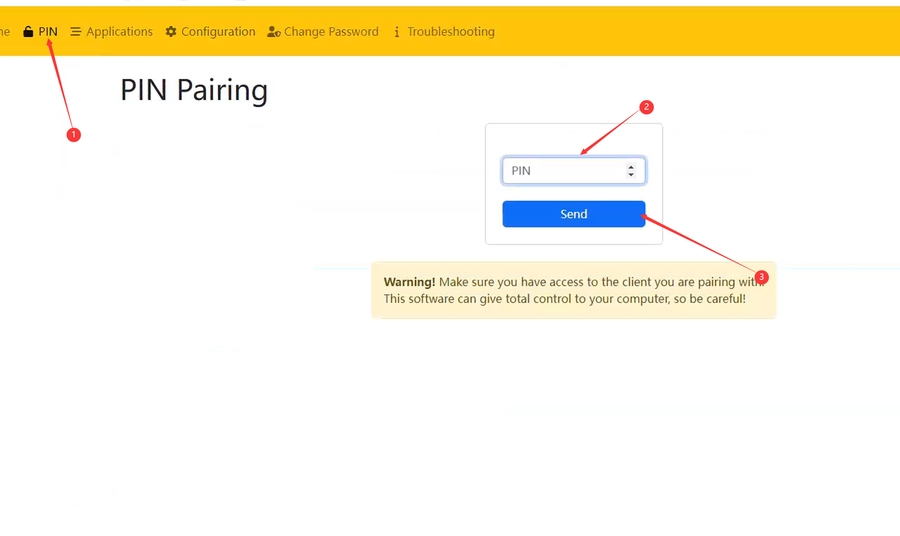
Remember the 4 digits PIN number.
Run Browser -> Open https://localhost:47990/ page. (Must use Edge Browser)
It will pop up NET::ERR_CERT_AUTHORITY_INVALID Error, click Advanced -> Continue.
You will now loaded into Sunshine Setup page.
It’s recommended to set all the information to 1, easy remember.
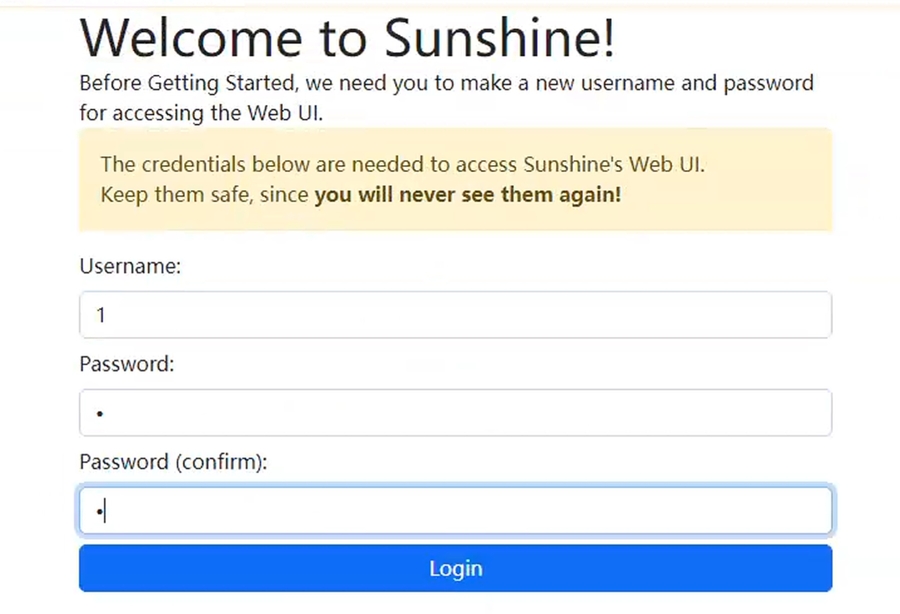
Configure the settings as Image below:
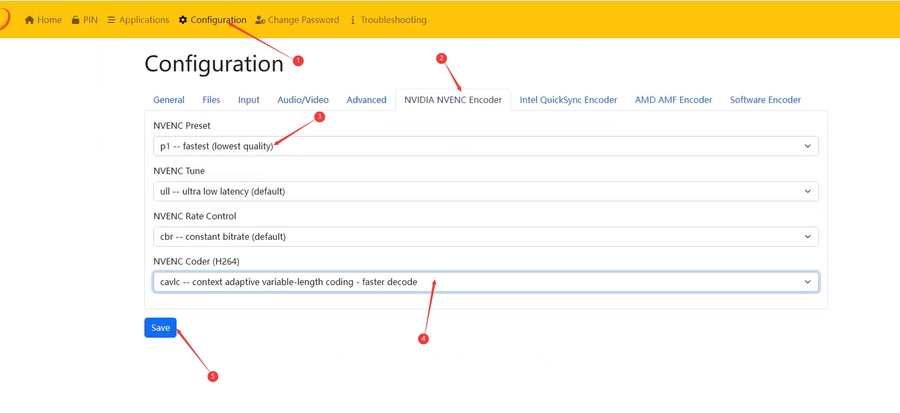
After click Save, goto PIN page and fill the 4 digits PIN number you get on Step 3. Click Send.
The Second PC moonlight’s desktop icon doesn’t show locked means it’s done.
Unlocked (Done)
Locked (Incomplete)
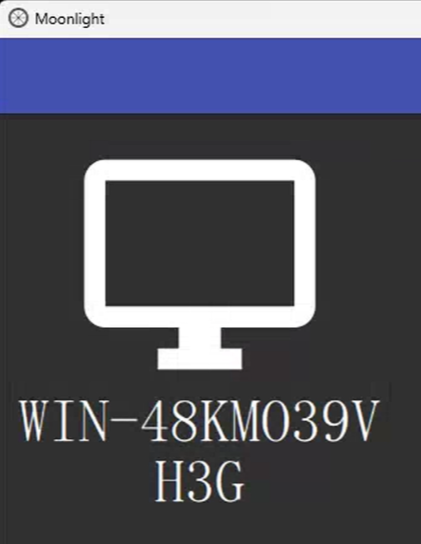
Click the Desktop Icon to start the broadcast.
On Second PC keyboard press Ctrl + Shift + Alt + Q together to exit the broadcast moonlight.
Last updated